Teams, projects and departments
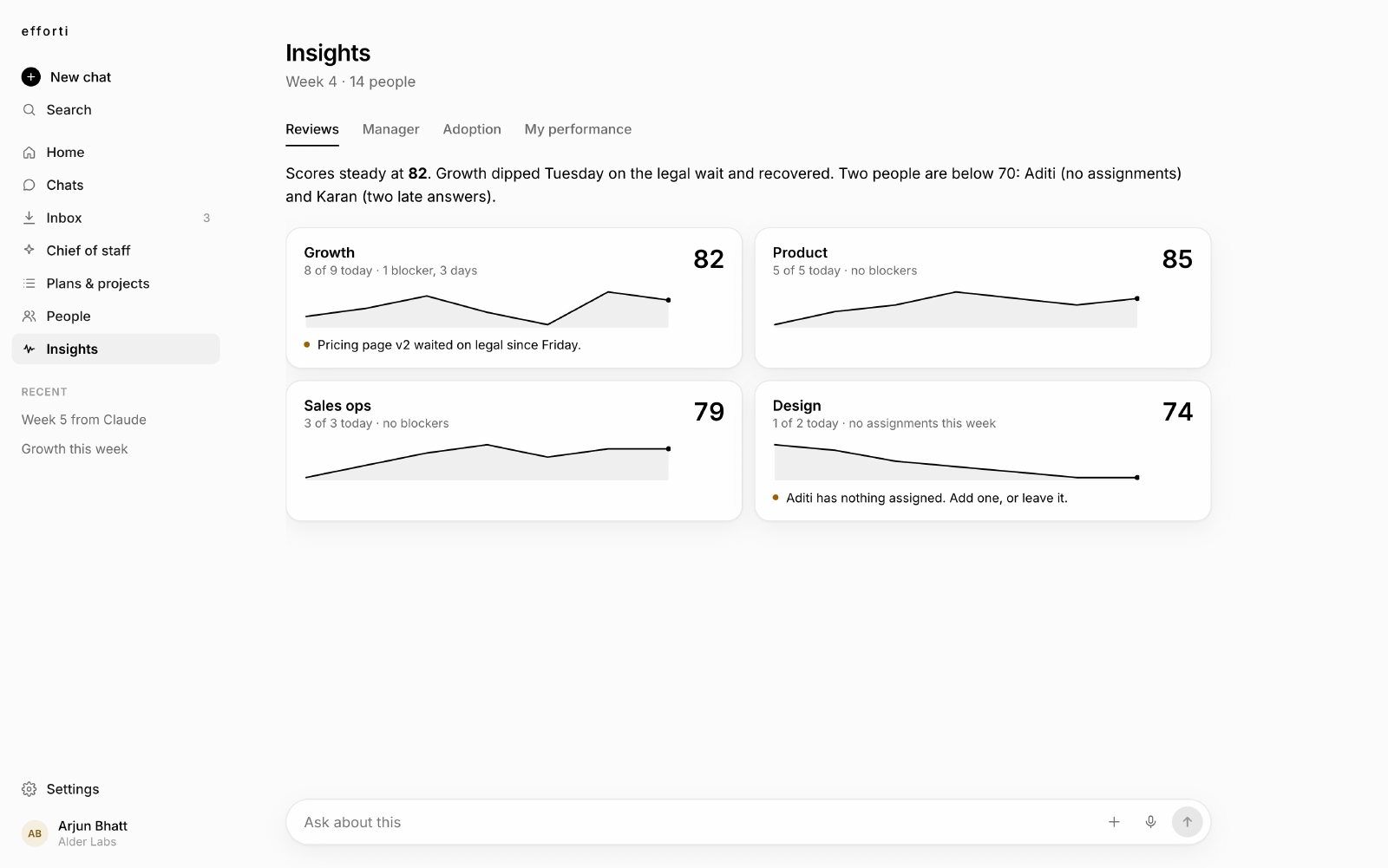
Teams with leads, projects with goals, created once and reflected everywhere. Setup asks how you are organised, because that shapes how check-ins group and blockers route.
New in early access: tell your AI assistant what you want done, and Efforti gets every person on it. See the planner


People, teams, roles, usage and the view that shows it is working. One place, with answers.
Teams with leads, projects with goals, created once and reflected everywhere. Setup asks how you are organised, because that shapes how check-ins group and blockers route.
A team member asks for a higher role from their profile and a manager approves it. "Who gave them access?" always has an answer. Enterprise.
Engaged, partial and quiet, with reply rates per person and per check-in. When leadership asks whether Efforti is working, you open this screen.
A daily allowance meter sits in the header. Every run draws from it and it resets each day, so there is never a surprise bill.
Who changed what and when, including approvals and access. Enterprise.
Check-ins answered, blockers surfaced, response rate and an estimate of hours saved, shareable as a PDF.
The adoption view names who has gone quiet and where reply rates are slipping, so you know where to help next.
Basic covers every team. Enterprise adds roles, approvals, an audit log and single sign-on.